All Valda Energy customers can view and download their invoices through the Customer Portal.
The quickest way to access your latest invoice is by selecting the ‘Latest Invoice’ tile on the home screen.
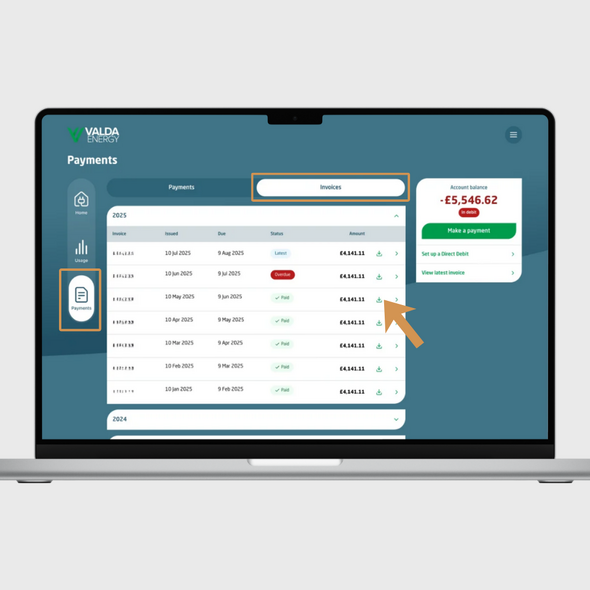
You can also view your full invoice history by:
If you’re using the mobile app, you can access the ‘Payments’ section via the menu at the bottom of the screen.
Your invoices are organised by the year they were generated. To find older invoices, simply select the relevant year from the dropdown menu and click the download icon next to the invoice you need.
If you are having any problems downloading your invoices or need help accessing your account, please contact our Customer Services Team on 0330 390 4510, 09:00-17:00, Monday to Friday.

Call us on:
0330 390 4510

LiveChat now