If you pay by card, you can choose from a range of payment options in the Customer Portal, including preset amounts or entering a custom value.
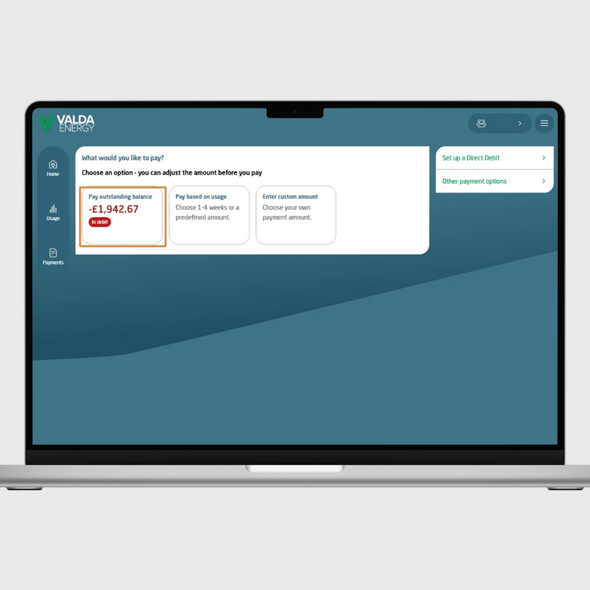
Clear your outstanding balance
If your account has an outstanding balance and you’d like to pay it in full, select this option.
The payment amount will automatically update to match your total balance.
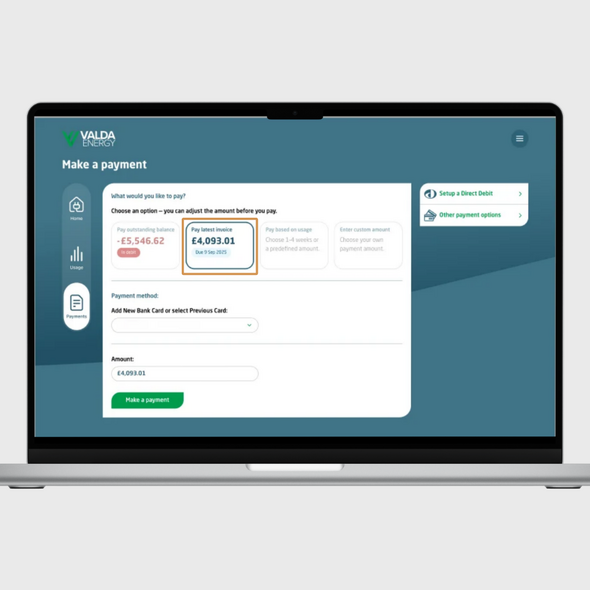
Pay your latest invoice
To pay your most recent invoice, simply select this option and the correct amount will be applied.
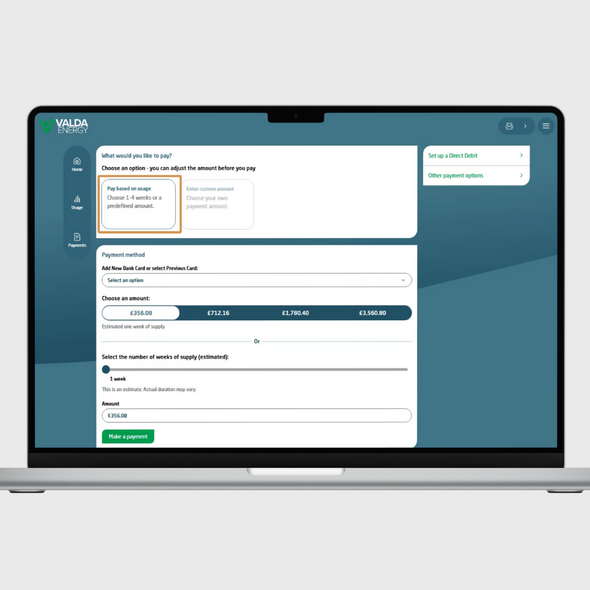
Pay based on usage
You can choose to make a payment based on your estimated energy usage. Preset options are available for:
You can also use the slider to select anywhere between 1 and 52 weeks of estimated usage.
Please note: These amounts are estimates based on your previous usage and may not fully cover the selected period.
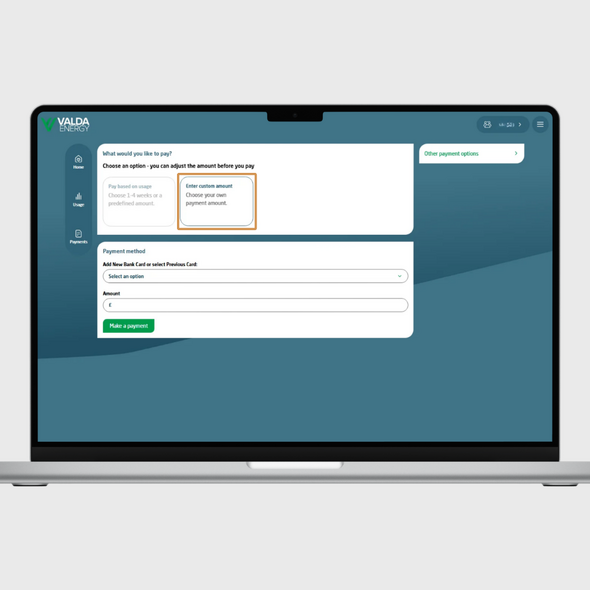
Make a custom payment
If you prefer, you can enter your own amount in the ‘Amount’ box and select ‘Make a payment’.

Call us on:
0330 390 4510

LiveChat now